Metatrader Auto Trading: How to Run EAs and Manage Risk
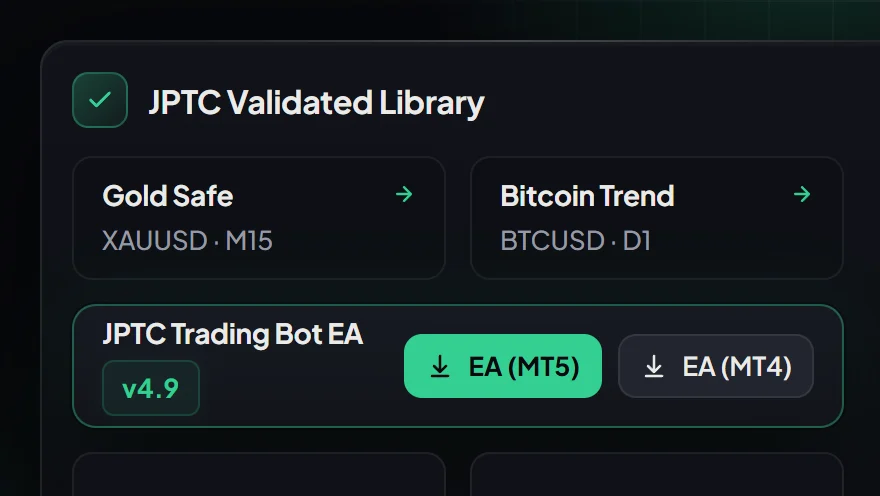
Metatrader auto trading executes predefined trade logic directly through MetaTrader 4 (MT4) or MetaTrader 5 (MT5) terminals using automated software programs known as Expert Advisors (EAs). Instead of placing orders manually, the terminal monitors live price quotes, evaluates technical criteria, and submits order requests automatically according to programmed risk and entry parameters.
Deploying automated trading effectively requires aligning three distinct components: platform configuration, execution infrastructure, and strict account drawdown controls. Whether managing risk on a personal broker account or working through a funded account evaluation, mechanical discipline alone does not remove market friction or risk exposure.
How Metatrader Auto Trading Works on MT4 and MT5
Automated execution in MetaTrader operates on an event-driven model. Every time a new price tick arrives from the broker feed, the terminal triggers an internal calculation cycle within the active Expert Advisor. The software reviews open positions, checks pending orders, and evaluates whether current market conditions match the rules programmed into MetaTrader's programming language.
Understanding the architectural differences between platforms is essential for stable execution:
- MetaTrader 4 (MT4): Built on a 32-bit architecture, MT4 uses ticket-based order management where each order operates independently. It remains widely used across retail forex brokers and prop firm challenges due to its extensive library of existing tools.
- MetaTrader 5 (MT5): Built on a modern 64-bit multi-threaded architecture, the MetaTrader 5 platform processes ticks faster, supports millisecond execution timers, and offers native hedging or netting options. MT5 handles complex multi-currency calculations with significantly less terminal latency.
When an entry trigger occurs, the EA passes an order structure to the broker bridge. The speed and quality of that fill depend heavily on market liquidity, broker execution policies, and latency, which define the core principles of algorithmic trading mechanics.
Essential Terminal Settings for Automated Execution
Before an Expert Advisor can open or modify positions, specific platform-level security permissions must be configured. Leaving any of these controls inactive will prevent automated order dispatch.
1. Enable Global AutoTrading
In the main toolbar at the top of the terminal, locate the AutoTrading button (labeled 'Algo Trading' on newer MT5 builds). Ensure the icon is toggled on with a green indicator. If this button is red, the terminal blocks all automated order requests across all attached charts.
2. Configure Common EA Permissions
Navigate to Tools > Options > Expert Advisors. To ensure reliable execution while maintaining account security, adjust the following settings:
- Allow automated trading: Check this box to enable global algorithmic access.
- Disable automated trading when the account has been changed: Check this box to prevent an EA loaded on one account from inadvertently opening positions if you switch broker logins.
- Allow DLL imports: Only enable dynamic link library (DLL) imports if your specific software documentation explicitly requires it for licensing validation or external data feeds. Do not enable DLL imports for unverified files.
- Allow WebRequest for listed URL: Add the vendor's licensing or news feed endpoints if your EA tracks live macroeconomic announcements.
3. Load the Chart and Apply Setfiles
Open the designated symbol and timeframe required by your strategy. Drag the EA from the Navigator panel onto the chart. In the dialog window that appears, navigate to the Inputs tab and load the appropriate configuration file (setfile). Setfiles specify exact parameter values, such as maximum percentage risk per trade, fixed lot sizing, trailing stop distances, and trade session filters.
Once applied, look at the top-right corner of the chart. In MT4, a smiling face indicates active execution, while a frowning face signals disabled permissions. In MT5, a blue graduation cap icon confirms that automated trading is active.
Terminal Infrastructure: Reliable PC vs Optional VPS
Because MetaTrader Expert Advisors run client-side, the software only executes orders while the terminal is active, connected to the broker server, and running on an active machine.
Running Locally on a Personal Computer
Running an EA on a home computer or office desktop is suitable for strategy testing, intraday monitoring, or systems that only trade during specific market sessions. However, local environments introduce operational vulnerabilities:
- Automatic operating system updates that trigger unexpected reboots during market hours.
- Local power cuts or internet service drops that disconnect the terminal from the broker feed.
- Power-saving or sleep settings that suspend processor activity when the computer is left unattended.
Running on an Optional VPS
A Virtual Private Server (VPS) provides a continuous, cloud-hosted Windows environment with dedicated power and high-speed network connections. While using a VPS is an option for traders running an EA who need round-the-clock uptime and minimal execution latency to broker servers, it is never a mandatory requirement if you maintain a stable, dedicated local PC setup.
Hosted Infrastructure Alternatives
For traders who prefer automated execution on their own broker account without managing terminal settings, updates, or VPS configurations, fully hosted models offer an alternative approach. Our hosted Live Algo connects directly to your personal broker account, operating entirely on our infrastructure with nothing to install and no VPS required. Note that this hosted service is designed specifically for personal broker accounts and is not offered for prop firm evaluations.
Navigating Prop Firm Rules with Automated Trading
Using automation on prop firm accounts requires far more than technical terminal setup. Prop firm evaluations enforce strict drawdown boundaries that automated systems must accommodate.
Understanding Drawdown Calculations
Most evaluation failures stem from misunderstandings about how loss thresholds are measured. For example, standard FTMO loss limits enforce a 5% daily loss limit and a 10% maximum loss limit on 2-Step evaluations. On standard evaluation accounts, the daily loss threshold is typically calculated against the starting balance or equity of the new trading day (often reset at 00:00 server time).
If an EA maintains open positions carrying floating losses into the server rollover, that unrealized loss can immediately impair your daily drawdown allowance for the following session. Automated risk modules must be calibrated to close trades or halt new entries well before these boundaries are breached.
Firm Policies on Third-Party Automation
Prop firms maintain differing policies regarding commercial automated tools. For instance, FundedNext CFD EA policies permit EAs on MT4 or MT5 accounts below $50K with specific usage conditions, while explicitly prohibiting bots designed to exploit demo server pricing errors or latency gaps. Other firms, such as The5ers, prohibit third-party automation entirely.
Always verify the specific platform rules of your target firm before running an automated tool. A vendor preset file or backtest is never proof of compliance with current prop firm terms, and no one can promise a challenge pass or rule compliance.
Technical Failure Points That Break Automated Strategies
Automation executes systematic logic without manual hesitation, but unexpected market and broker conditions can still disrupt an algorithm. Professional operators actively manage three primary operational failure points:
1. Rollover Spread Widening
At the close of the New York trading session (around 17:00 EST / 21:00 or 22:00 GMT), major liquidity providers temporarily withdraw pricing to rebalance books. Spreads on currency pairs and gold can widen by five to twenty times their normal levels for 15 to 30 minutes. If an EA places tight stop losses or executes scalping logic during this rollover window, positions may be closed prematurely at extreme prices. Robust automated systems incorporate session filters that halt trading during rollover.
2. Execution Slippage During High-Impact News
During central bank interest rate decisions or employment data releases, order book depth thins rapidly. If an EA issues a market order or hits a stop loss during high volatility, the actual fill price may be several pips away from the trigger price. An algorithm cannot guarantee fill pricing; slippage is determined by available market liquidity.
3. Terminal Disconnections and Local Trailing Stops
Certain Expert Advisors manage trailing stops internally within terminal memory rather than placing hard stop-loss orders on the broker server. If the internet connection drops while an EA is managing a position through virtual stops, the trade is left unprotected against adverse market swings. Verifying that your software writes hard stop losses directly to the broker server is a critical risk safeguard.
Choosing the Right Automation Model for Your Trading Goals
Selecting an automated trading approach depends on your account structure, technical preferences, and capitalization strategy:
- Self-Managed EA Software: If you want complete control over your terminal, parameter inputs, and setfiles, running dedicated software on your own MT4 or MT5 terminal is the appropriate choice. You control the risk profile, manage your own schedule, and run the software on a reliable PC or optional VPS.
- Prop Firm Challenge Preparation: If you are navigating prop firm evaluations and struggle to balance profit targets with daily loss thresholds, a dedicated challenge passing service handles the operational execution systematically. The account remains in your name, while structured risk parameters protect evaluation rules.
- Hosted Algorithmic Accounts: If you are trading your own broker capital and prefer a hands-off infrastructure where you install nothing and require no VPS, a hosted algorithm connects directly to your personal account. Monthly figures published from broker statements are available on our company results page, reflecting historical broker reports rather than an independent audit.
- Curated Signals with Supported Copying: If you prefer directional market ideas, our forex and gold signals deliver explicit entry prices, stop loss levels, and targets. You can execute calls manually or connect supported automated copying directly to your own broker account under agreed risk settings. Eligible VIP signal access is covered through a partner broker account.
If you prefer running your own automated strategies with configurable setfiles tailored to prop firm parameters, See the JPTC EA Hub →
For traders seeking structured evaluation support without handling daily terminal operations, explore our prop firm challenge passing service.
Frequently Asked Questions
Does metatrader auto trading work while the computer is turned off?
No. Standard Expert Advisors running on MT4 or MT5 require an active terminal, an uninterrupted internet connection, and continuous communication with the broker server. If your computer shuts down or enters sleep mode, the EA stops monitoring price action and cannot execute new trades or trail local stop orders. Traders who do not keep a home PC running continuously often run their terminal on an optional VPS.
Can I run an EA on both MT4 and MT5 simultaneously?
Yes, provided you have installed both platform terminals on your machine and have software compiled specifically for each environment. MT4 and MT5 use different underlying architectures and programming structures, meaning an EA file built for MT4 cannot be directly attached to an MT5 chart without the appropriate MT5 software version.
Are backtests proof that an EA will comply with prop firm rules?
No. Backtests represent simulated performance over historical price data under fixed modeling assumptions. They cannot reproduce dynamic live spreads, variable slippage, news execution halts, or evolving prop firm terms such as consistency rules and intraday drawdown tracking. A backtest is never proof of rule compliance, and results are not guaranteed.
What happens if my internet disconnects while a trade is open?
If your EA sent hard stop-loss and take-profit levels to the broker server when the position opened, those price levels remain active on the broker side even if your terminal goes offline. However, dynamic functions such as virtual trailing stops, break-even triggers, or algorithmic partial closes will not execute until your terminal reconnects to the broker feed.
Related Articles
- Automated Algo Trading Market: Choosing the Right Setup · Read more →
- Copytrade Forex: Automate Trading or Follow Expert Calls · Read more →
- Instant Forex Funding With No Delays: True Costs and Rules · Read more →
- Forex Trading Broker Directory: How to Filter Real Brokers · Read more →
- Metatrader Automated Trading: EAs, Setup and Rules · Read more →
- Copia de Trades Wsfunded: Rules and Safe Setup · Read more →
- Mechanical Trading Software: Rules, Setup and Risk · Read more →
- Prop Instant Trading: Costs, Risk Rules, and Trade-Offs · Read more →
- Funded Trading Accounts: What to Check Before You Pay · Read more →
- Trading Algorithmus: How to Choose One That Fits Your Account · Read more →
Automated forex and gold trading
Runs on your own account at your own broker. We host and set it up, so there is nothing to install and no VPS. No profit share, no monthly fee.
See how it works