Mechanical Trading Software: Rules, Setup and Risk
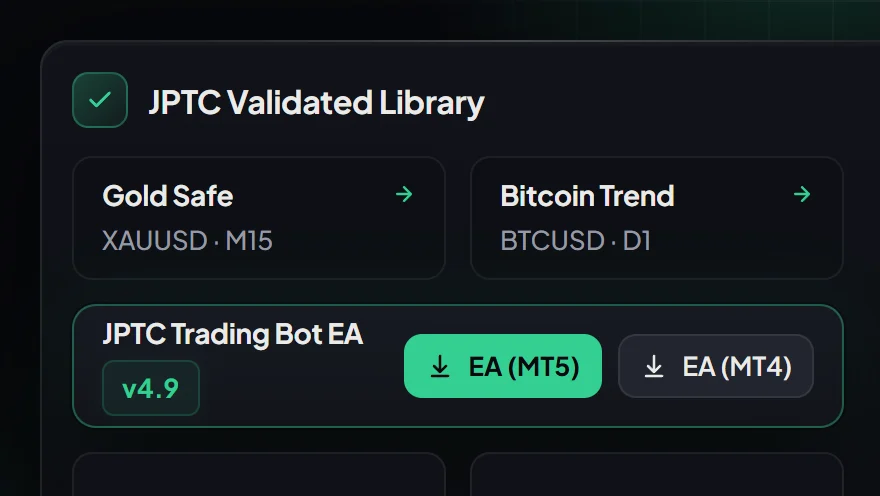
Mechanical trading software executes market orders based on predetermined, codified mathematical parameters rather than subjective trader judgment. By translating entry signals, exit thresholds, and position sizing into executable code, these systems enforce discipline across every trade.
Traders navigating modern markets deploy mechanical trading software across two distinct environments: personal broker accounts and prop-firm evaluations. While the underlying engine relies on automated logic, how that software is hosted, configured, and governed by loss limits determines whether it protects an account or triggers an immediate breach.
What Mechanical Trading Software Does and How It Operates
At its core, mechanical trading software turns a systematic strategy into an automated process. According to Investopedia, a systematic or rule-based trading system establishes objective criteria for trade initiation and risk management, leaving no room for discretionary second-guessing.
A typical software architecture includes three distinct subsystems:
- Signal Generation: The algorithm scans price data, volatility indicators, and market sessions to identify qualified entries based on exact mathematical criteria.
- Risk Calculation: The software calculates lot sizing dynamically before sending the order, factoring in account balance, open equity, and predetermined stop-loss distances.
- Order Execution and Lifecycle: The software transmits buy or sell orders directly to the broker or trading server, continuously managing trailing stops, partial take-profits, and time-based exits.
By automating execution, traders eliminate hesitation during volatile market expansions. However, automated software simply repeats its programmed instructions. It cannot predict sudden macroeconomic liquidity freezes, and execution requests do not represent guaranteed fills during severe market slippage.
Software Architecture: Terminal EAs vs Hosted Algorithms
When selecting mechanical trading software, traders must decide where the code actually runs. There are two primary delivery models, each serving different operational needs.
1. Client-Terminal Expert Advisors (MT4 and MT5)
Client-side software, commonly built for MetaTrader 4 or MetaTrader 5, runs directly inside the trader's own desktop terminal. The trader holds the software licence, downloads the files, and applies customized setfiles to their active charts.
Because the terminal must maintain an uninterrupted connection to the broker's trade server, the trader runs the software on a reliable PC or an optional Virtual Private Server (VPS). While a VPS is a practical option for continuous uptime, it is not an absolute requirement if a dependable workstation is available. The customer retains direct, granular control over every setting, lot multiplier, and risk threshold.
2. Hosted Algorithmic Systems
In a hosted model, the software provider manages the execution infrastructure on dedicated enterprise servers, linking trades directly to the customer's personal broker account via secure API or institutional bridge. The customer installs nothing on their local machine and requires no VPS.
At JPTradingCapital, the hosted Live Algo operates under this cloud model. It is engineered exclusively to grow a customer's own broker account and is never offered for prop-firm evaluations or funded challenge phases. It requires a minimum balance, comes with a 14-day refund policy if not connected and running as demonstrated, and its historical performance is reported directly from broker statements rather than third-party audits.
Navigating Prop-Firm Rules with Mechanical Systems
Many traders turn to mechanical trading software after repeatedly failing prop-firm evaluations due to emotional errors, revenge trading, or violating daily drawdown thresholds. However, running automated software on evaluation accounts introduces unique technical constraints that must be handled correctly.
Static vs Trailing Drawdown Constraints
Prop firms enforce strict loss rules that mechanical systems must actively monitor:
- Static Balance Drawdown: Standard 2-Step evaluations, such as the FTMO trading objectives, establish fixed loss parameters: a 5% maximum daily loss and a 10% maximum overall static loss based on the starting balance.
- Trailing Drawdown: Many 1-Step programmes utilize intraday or end-of-day trailing drawdowns. As account equity rises, the maximum loss line trails upward, locking in risk even if open positions later retrace.
Off-the-shelf trading bots frequently fail prop challenges because their lot sizing is calibrated solely to static account balance, ignoring intraday equity peaks. A sophisticated prop-firm EA must incorporate hard equity stops that halt trading for the remainder of the session once a specific currency drawdown limit is reached.
Execution Risks and Slippage
Even perfectly written code cannot control server execution latency or widening spreads during major news releases. If a mechanical system initiates a trade milliseconds before a high-impact news event, slippage can push the loss past the firm's daily threshold before the stop-loss order fills on the broker's server. Automation reduces manual hesitation, but it never guarantees rule compliance or immunity from unexpected market gaps.
Evaluating Real Software: Backtests vs Broker Statements
A frequent error among traders looking for mechanical software is relying on polished backtests. Strategy testers in MetaTrader's own programming language can easily produce flattering historical equity curves when parameters are over-fitted to past price data.
Backtests frequently assume perfect liquidity, zero spread widening, and zero execution delay. In live market conditions, however, rollover financing costs, dynamic spreads, and execution slippage inevitably degrade performance. When evaluating any mechanical system, look for verified broker records rather than simulated reports.
JPTradingCapital publishes monthly figures derived directly from its live broker statements at /results. These company-published figures provide authentic historical context regarding live execution dynamics, though they are not independently audited and do not guarantee future performance on any client account.
How to Choose the Right Mechanical Trading Setup
Selecting the right mechanical trading software depends on your account capitalization, technical comfort, and specific trading goals.
Option A: Running Terminal Software on Prop-Firm Challenges
If you are managing evaluation accounts across MT4 or MT5 prop firms and want direct control over risk parameters, running a dedicated expert advisor is the standard path. Ensure the software provides configurable setfiles designed around daily loss buffers, news filters, and automatic session cutoffs.
See the JPTC EA Hub → for MT4 and MT5 software that gives you full control over pre-calibrated setfiles on your own terminal.
Option B: Professional Challenge Assistance
For traders who prefer not to manage setfiles and VPS infrastructure themselves, JPTradingCapital provides a dedicated challenge passing service starting at 100K account sizes. The account remains fully in the customer's name, and the service operates until the challenge target is completed. Firm-terms risk remains with the account holder, and no challenge pass can ever be guaranteed.
Option C: Hosted Automation for Personal Broker Accounts
If your goal is automated trading on your own capital without managing local software installations, our hosted Live Algo provides institutional execution directly to your broker account. It is tailored for personal capital growth and is not available for evaluation accounts.
Frequently Asked Questions
Does mechanical trading software guarantee a pass on prop-firm challenges?
No. Mechanical software executes predefined instructions, but market slippage, sudden spread widening, and macroeconomic volatility can still lead to rule breaches. No legitimate software or service can promise returns, payouts, or guaranteed evaluation passes.
What is the difference between client-side EAs and hosted algorithms?
A client-side expert advisor runs on the customer's own MT4 or MT5 terminal, operating from their computer or personal VPS. A hosted algorithm, such as the JPTC Live Algo, runs entirely on the provider's infrastructure and executes trades directly on the customer's personal broker account without local software installations.
Can mechanical trading software be used on Topstep or Apex?
No. Topstep operates exclusively on TopstepX rather than MetaTrader platforms, and Apex Trader Funding explicitly prohibits automated trading across its account models. Always verify individual firm permissions before deploying automation.
Why do backtests differ from live mechanical software execution?
Backtests simulate execution using historical price data, often assuming fixed spreads and instantaneous order fills. In live market conditions, dynamic spreads, latency, slippage, and weekend rollover gaps impact actual trade results.
Related Articles
- Prop Instant Trading: Costs, Risk Rules, and Trade-Offs · Read more →
- Sinal de Trading: How to Execute Forex and Gold Signals · Read more →
- Algo Trading Hosting: VPS Setup or Managed Execution · Read more →
- Trading Strategy Software for Real Accounts and Prop Firms · Read more →
- Accessing Instant Forex Funding: Your Options · Read more →
- Forex Signals: Choosing for Prop Firm or Own Account · Read more →
- Algo Capital: Your Path to Automated Trading Success · Read more →
- Prop Evaluation Rule Sheet: Check EA Permission · Read more →
- Copia de Trades Wsfunded: Rules and Safe Setup · Read more →
- Metatrader Automated Trading: EAs, Setup and Rules · Read more →
Automated forex and gold trading
Runs on your own account at your own broker. We host and set it up, so there is nothing to install and no VPS. No profit share, no monthly fee.
See how it works