Metatrader Automated Trading: EAs, Setup and Rules
Metatrader automated trading executes systematic market strategies through pre-programmed software instructions on MetaTrader terminals or through connected broker infrastructure. By taking mathematical rules for entry, position sizing, and risk management and executing them automatically, algorithmic systems remove manual order placement from the daily trading routine. Operating an automated system on a funded account or a real account requires strict attention to platform stability, broker execution quality, and account-specific drawdown rules.
Traders deploying automated systems generally choose between running an Expert Advisor on their own terminal or connecting to a managed, hosted algorithmic setup. Understanding how these approaches differ, how prop firms regulate automated execution, and how technical latency impacts real-world fills is critical before committing capital.
How Metatrader Automated Trading Works: MT4 and MT5 Architecture
Automated trading on MetaTrader relies on Expert Advisors, which are software programs compiled in MetaTrader's own programming language. These programs attach directly to specific currency or asset charts inside the terminal, continuously monitoring the incoming price stream. When market conditions match the mathematical logic coded into the EA, the software sends order requests directly to the broker trade server.
The two primary MetaTrader platforms offer distinct technical capabilities for automation:
- MetaTrader 4: Built primarily for retail forex and CFD trading, MT4 remains widely supported by prop firms and retail brokers. It features a straightforward user interface and efficient single-thread backtesting, but it lacks native multi-currency testing and advanced order routing capabilities.
- MetaTrader 5: Engineered as a multi-asset platform, MT5 provides native 64-bit multi-threaded processing, real tick data backtesting, and support for centralized exchange assets. It also allows advanced order execution types, such as netting and hedging modes, making it technically superior for complex algorithmic strategies.
Regardless of whether you trade on MT4 or MT5, an EA only follows its programmed instructions. Automation repeats implemented instructions and can still fail when unusual market conditions arise. A software system cannot predict liquidity dry-ups or prevent network disconnections on its own.
Terminal Deployment: Self-Run EAs on PC or VPS Versus Hosted Algo Execution
One of the first operational decisions a trader must make is where the automated trading code physically executes. There are two primary deployment models in retail trading today: running software on your own terminal or using hosted algorithmic execution.
Running an EA on Your Own Terminal
In this model, you acquire an EA licence, such as the JPTC EA Hub, download the software, and install it on your own MT4 or MT5 terminal. You retain complete control over your charts, setfiles, lot sizing, and risk parameters.
Because an EA only runs while the MetaTrader platform is active and connected to the internet, keeping your machine powered on and connected is essential. Running the terminal on a reliable PC or VPS is an option. A Virtual Private Server (VPS) is hosted in a secure data centre with continuous power and high-speed internet, which can reduce latency to broker trade servers and prevent unexpected reboots. However, a VPS is an option, not a requirement, if your local computer has uninterrupted power and a stable internet connection. You remain responsible for terminal updates, setfile adjustments, and operating system maintenance.
Hosted Algorithmic Execution
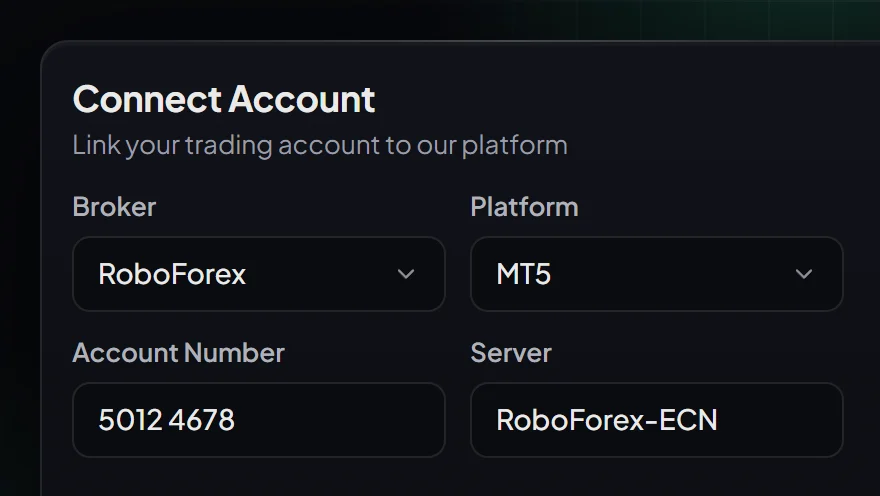
For traders with their own capital on a personal broker account who do not want to manage software installations, monitor setfiles, or configure terminals, hosted algorithmic execution offers an alternative. With our hosted Live Algo, JPTC hosts the algorithm on its own infrastructure and connects it directly to the customer's own broker account, so there is nothing to install and no VPS is needed.
The hosted Live Algo is built specifically to grow capital on the customer's own broker account. It is not offered for prop-firm challenges, evaluations, or funded accounts. Results are reported directly on your personal broker account, giving you complete account custody while removing terminal maintenance entirely.
Navigating Prop-Firm Rules with Automated Trading Systems
Deploying automated trading systems on prop-firm evaluations introduces strict compliance boundaries. Unlike personal broker accounts where a trader can withstand temporary portfolio drawdowns, prop firms enforce hard equity thresholds that trigger instant account disqualification.
Daily Loss and Maximum Trailing Limits
Prop firms calculate risk limits using strict daily and maximum drawdown formulas. For example, FTMO trading objectives enforce a 5% daily loss limit and a 10% maximum static loss on standard 2-Step evaluation accounts. On its 1-Step evaluation, the daily loss limit is 3% and the maximum loss is an end-of-day trailing 10%. If an automated system takes an unexpected series of losses or leaves open floating drawdown that breaches the daily limit by a fraction of a percent at the daily server reset, the evaluation is failed instantly.
Consistency Rules and Exposure Limits
Many modern prop evaluations incorporate consistency rules designed to test whether a strategy produces steady returns rather than relying on a single outsized win. For instance, on FTMO 1-Step accounts ordered or merged from 12 Oct 2026, the best day may be at most 50% of total profit, while Instant accounts enforce a 30% limit. Automated strategies with aggressive compounding or martingale mechanisms often fail these rules because a single volatile day can account for the majority of accumulated gains.
Firm-Specific Automation Restrictions
Before launching an EA on an evaluation, verifying the specific firm's rulebook is essential:
- The5ers: Completely bans third-party automation. Any automated strategy deployed must be personal proprietary code rather than commercially licensed software. On their High Stakes accounts, profit targets are 10% for Phase 1 and 5% for Phase 2, with a 5% daily loss and 10% maximum loss limit.
- FundedNext: Under FundedNext CFD guidelines, EAs are only permitted on MT4 or MT5 accounts below $50K, with a usage fee applied to third-party EAs. Furthermore, EAs built specifically to pass challenges are prohibited. Their futures models trade on Tradovate, NinjaTrader, or TradingView with no MetaTrader support.
- Other Platforms: Apex Trader Funding bans automated trading across all account types, while Topstep uses TopstepX with no MetaTrader access. Never attempt to run MetaTrader EAs on platforms that do not support them.
A backtest or preset setfile is never proof of prop-firm compliance. Automation cannot promise a challenge pass, eliminate market risk, or ensure fill prices. Traders seeking structured preparation can use our challenge passing service, which runs until the challenge is passed while the account remains in the customer's name and firm-terms risk sits with the trader.
Execution Realities: Latency, Spreads, and Rollover Slippage
In automated trading, theoretical strategy performance often diverges from real account results due to market execution mechanics. Understanding these friction points helps traders configure risk limits realistically.
Spread Widening During Market Rollover
Every trading day at 5:00 PM EST, institutional banks settle interbank transactions, leading to a temporary liquidity vacuum known as market rollover. During this 15 to 30-minute window, bid-ask spreads on major currency pairs and gold (XAUUSD) can widen dramatically. An EA that holds open trades or sets narrow stop losses during rollover can be stopped out prematurely simply due to spread widening, even if the underlying market price did not trend against the position.
Execution Latency and Slippage
As explained by financial educational resources such as Investopedia, execution slippage occurs when an order is filled at a price different from the requested rate. In fast-moving markets, such as during high-impact economic news releases, the price moves between the millisecond an EA sends a trade command and the moment the broker server processes it. A stop loss or take profit order submitted to a broker is an instruction to execute at the best available market rate, not a guaranteed fill at the specified level.
Why Historical Backtests Mislead Traders
Many traders assume that an EA showing a strong historical backtest will perform identically on a funded account. However, standard backtests often model trades using fixed spreads and zero execution latency, ignoring the real-world spread spikes, liquidity gaps, and commission structures that real accounts experience daily. Relying solely on historical backtests without monitoring real-time execution metrics creates false confidence.
Choosing the Right Automation Path for Your Capital
Selecting the right automated solution depends on whether you are trading evaluation accounts or growing personal capital on your own broker account. Here is how professional traders structure their choice:
- Prop-Firm Traders on MT4/MT5: If you are navigating evaluation stages and want full control over your risk settings, the JPTC EA Hub provides a standalone licence that you run on your own terminal on a reliable PC or VPS. For traders who want end-to-end guidance during evaluations, our challenge passing service supports you until the evaluation is completed.
- Private Capital Holders: If you have an account in your own name at an independent broker and want systematic execution without configuring software or monitoring terminals, our hosted Live Algo provides a hands-off approach. It runs entirely on our infrastructure with nothing to install and no VPS. We publish monthly performance figures from our broker statement at /results (company-published figures, not independently audited or verified). While trading results are not guaranteed, a 14-day money-back policy applies if the Algo is not connected and running on your account as shown.
- Traders Seeking Market Direction: If you prefer to review trade ideas with defined entries, stop losses, and profit targets, our forex and gold calls provide structured trade signals. Through our supported automatic copying, trades copy directly to the customer's own broker account under agreed risk settings and permissions, or they can be executed manually. Eligible VIP access is covered through an account at a partner broker.
If you have your own broker capital and want an automated system without managing software or terminals, See the hosted Live Algo.
Can an EA prevent an account from breaching prop-firm drawdown limits?
Does MetaTrader automated trading require a VPS to run?
How does the hosted Live Algo differ from the JPTC EA Hub?
Are trading results or challenge passes promised when using automated software?
Related Articles
- Copia de Trades Wsfunded: Rules and Safe Setup · Read more →
- Mechanical Trading Software: Rules, Setup and Risk · Read more →
- Prop Instant Trading: Costs, Risk Rules, and Trade-Offs · Read more →
- Sinal de Trading: How to Execute Forex and Gold Signals · Read more →
- Algo Trading Hosting: VPS Setup or Managed Execution · Read more →
- Trading Strategy Software for Real Accounts and Prop Firms · Read more →
- Accessing Instant Forex Funding: Your Options · Read more →
- Forex Signals: Choosing for Prop Firm or Own Account · Read more →
Automated forex and gold trading
Runs on your own account at your own broker. We host and set it up, so there is nothing to install and no VPS. No profit share, no monthly fee.
See how it works